Congratulations on your recent posting to the engineering department.
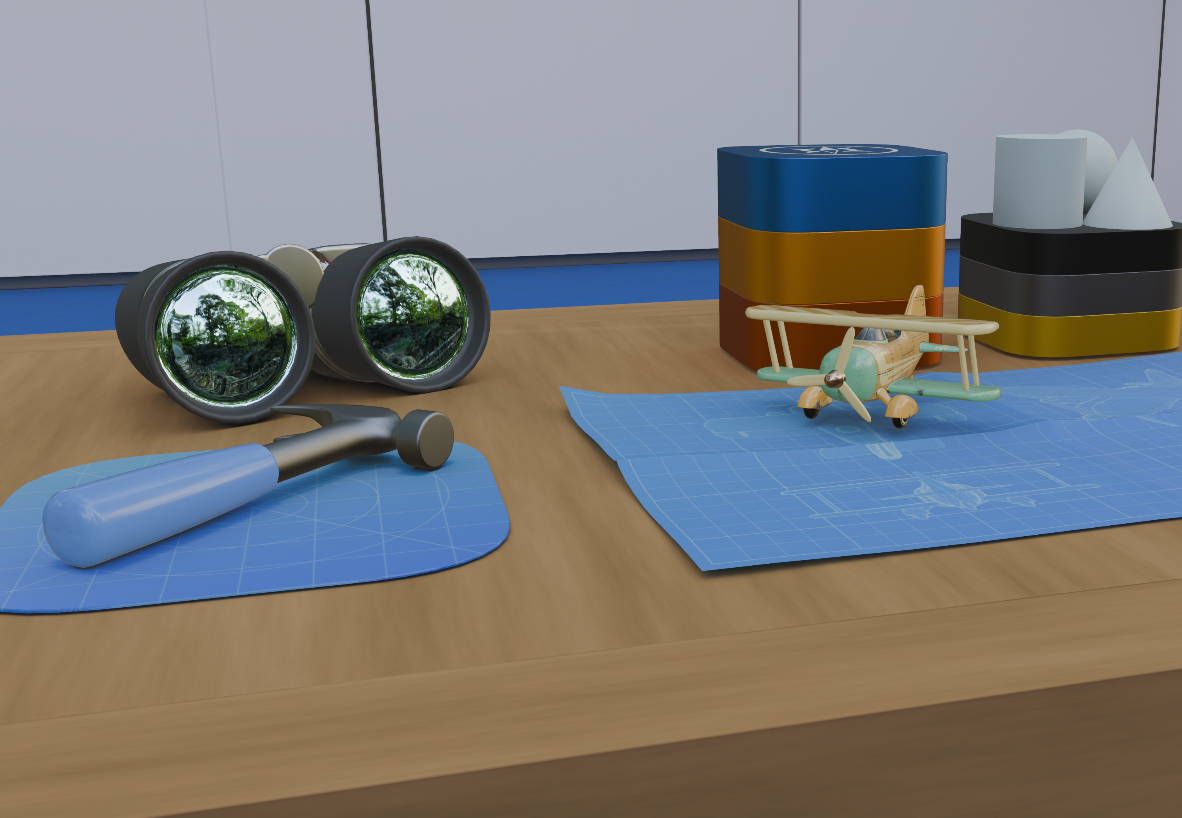
You can expect to gain tangible access to the department confines shortly. In the meantime, please enjoy this simulated representation of the available facilities and what to expect upon your first arrival. Note that the availability of certain amenity items such as teapot models, airplanes or hammers is subject to regulatory and asthetic jurisdictional concerns, and may not reflect the actual engineering department nearest you.
Gaining access to the simulated engineering environment:
Note that visionOS 26.0 or greater is required.
Undertake the following steps:
- From the home view, select Settings.
- Select Apps > Safari > Advanced > Feature Flags.
- Enable the toggle for Website environments.
Congratulations. Website environments are now enabled.
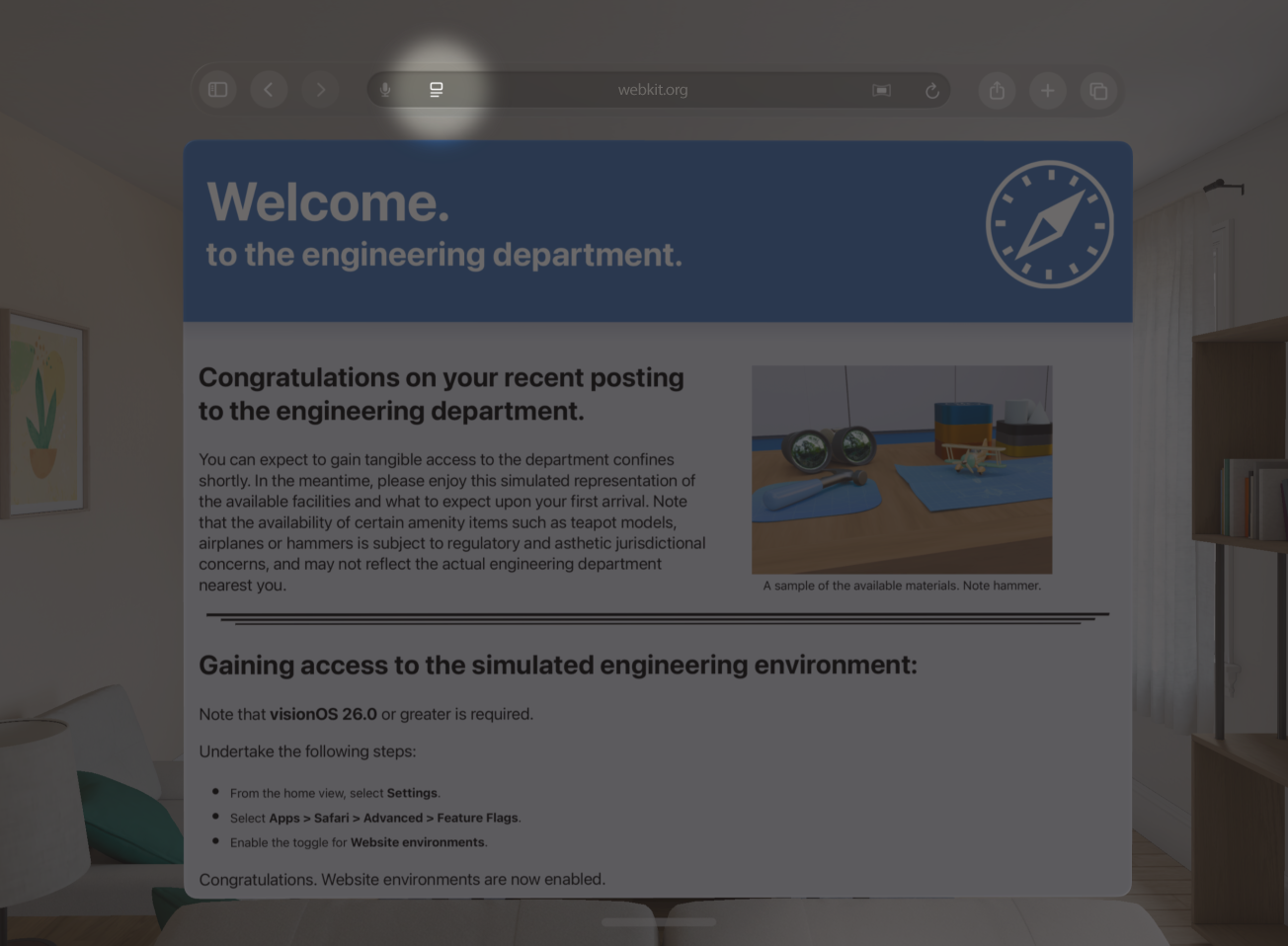
Next, select the Page format button from the navigation bar:
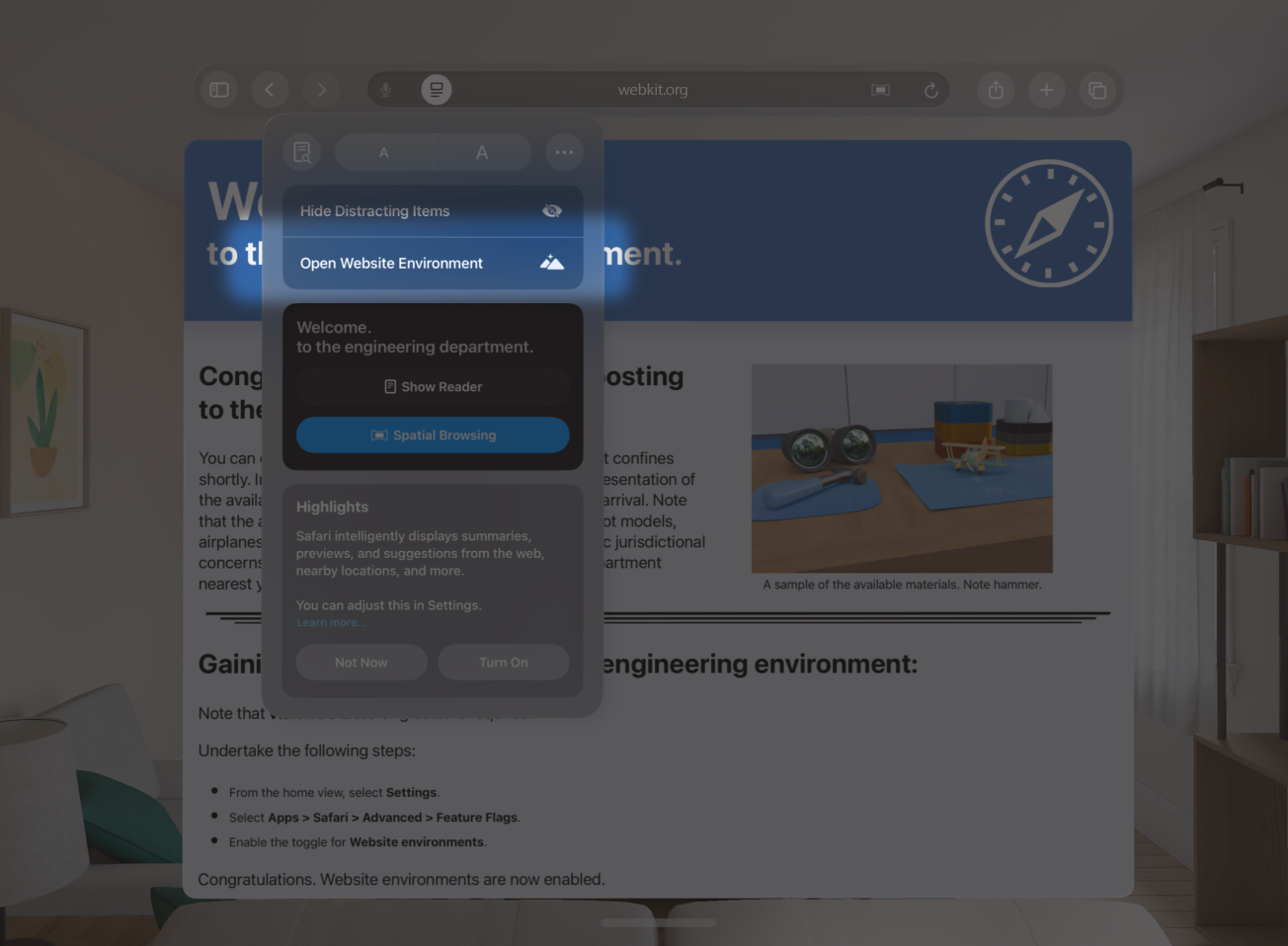
Finally, select the Open Website Environment button. Upon completion of loading, the environment shall be made available.
The environment is initially visible in a limited region. Use the dial on the device to control the level of immersion in the environment.